Tag Archives: JavaScript programming language

Object Oriented JavaScript: Inheritance

Objects and JavaScript

JavaScript, being a functional language, differs from most of the procedural/object oriented languages we know. The object oriented approach in JavaScript is rather strange. However there is much power in making objects! The syntax is really odd and there are several approaches.

Literal Notation

As many of you may know the most used notation is the JSON (JavaScript Object Notation).

{ 'key1' : 'val1'
, 'key2' : 'val2'
, 'key3' : 'val3'
}

Of course this is the very basic example. You can use as value any JavaScript object – another similar object or a function.

{ 'key1' : 'val1'
, 'key2' : { 'inner_key1' : 'inner_val1' }
, 'key3' : function() {
			return 10 + 5;
		 }
}

The two examples above are showing an anonymous object in JavaScript, but you can assign this code to some variable.

var myObject = 
	{ 'key1' : 'val1'
	, 'key2' : 'val2'
	, 'key3' : 'val3'
	}

or

var myObject =
	{ 'key1' : 'val1'
	, 'key2' : { 'inner_key1' : 'inner_val1' }
	, 'key3' : function() {
				return 10 + 5;
			 }
	}

and then you can call the properties of these objects with the ‘.’ operator:

myObject.key1;
myObject.key2.inner_key1;
myObject.key3();

So far so good – this is the literal object notation in JavaScript. However there is another “objects” in JavaScript.
Continue reading Object Oriented JavaScript: Inheritance

Adding a Custom Button to TinyMCE

TinyMCE

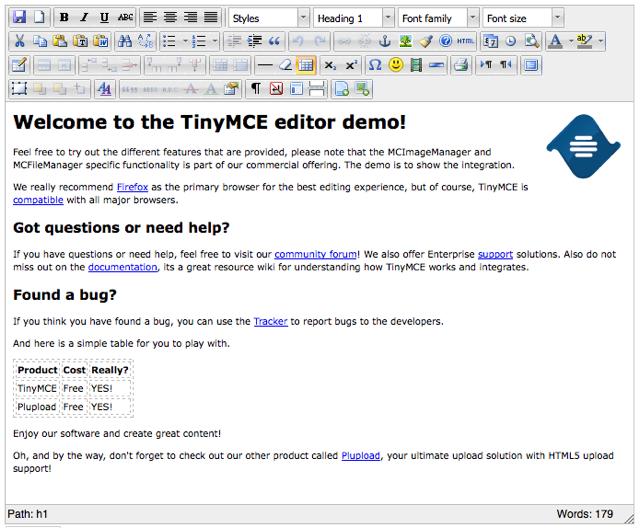
First thing to say TinyMCE is a very popular WYSIWYG online based editor. It’s very widely used in the web, as may already know it it’s part of the default WordPress installation. Out of the web, of course, there are some other editors as well. The most used and well developed projects are the Yahoo!’s YUI 2 Rich Text Editor and CKEditor also known with his past name – FCKEditor.TinyMCE Full Featured Example

Before I proceed with this post, let me say that I’m working and this tutorial is based on version 3.1.1 released on 18 Aug 2008. Continue reading Adding a Custom Button to TinyMCE

Diving into Node.js – A Long Polling Example

Node.js vs. The World

What is typical for most of the web servers is that they listen for requests and respond as quickly as possible on every one of them. In fact the speed of the response is one of the main targets of optimization for developers. Fast servers are what everyone needs. From web developers to website visitors!

In the field of the that battle different web servers have different “weapons” to gain time. While this is useful in most of the cases, when it comes to a chat-like applications and Node.js approaches, the response is not always immediately returned. As I described in my posts until now about Node.js, a simple web server may wait for an event to be emitted, and than return the response. Continue reading Diving into Node.js – A Long Polling Example

Diving into Node.js – Introduction & Installation

Why I Need Something Like Node.js?

First of all the use of some software is needed not because of itself, but because of the need of some specific functionality. In my case this was the need of real time news feed. Of course there is a way to make this without Node.js, as I’ll describe later in this post, but there are several disadvantages. However to begin from somewhere, let me explain what is Node.js.

Introducing Node.js

Perhaps the best way do describe what is Node.js is from its about page.

Node’s goal is to provide an easy way to build scalable network programs. In the “hello world” web server example above, many client connections can be handled concurrently. Node tells the operating system (through epoll, kqueue, /dev/poll, or select) that it should be notified when a new connection is made, and then it goes to sleep. If someone new connects, then it executes the callback. Each connection is only a small heap allocation.

In general Node is a program using the Google Chrome’s V8 JavaScript engine, which in turn is a program that can parse and execute code written in JavaScript. V8 is a very very interesting project itself. First of all from Google have developed this engine especially for one of his products – their browser Chrome. It pretends to be and by no means is one of the masterpieces of Google. It is fast and reliable engine, written in C++ and JavaScript, as Wikipedia’s page says. Actually this code is open source and can be embedded in whatever application written in C++. Thus you can have in your application a JavaScript engine. Continue reading Diving into Node.js – Introduction & Installation

2xjQuery: Select a Selector

Selectors in jQuery

jQuery JavaScript Library

If you’re familiar with jQuery you should already know what are selectors and how they work. However we’re used to get some DOM element with a specific selector, but actually sometimes you cannot select directly what you need. This is especially true when mixing more than one JavaScript libraries. In my case OpenLayers generated a vector layer and jQuery was supposed to change the vectors fill-color property.

OpenLayers

With the simple $(‘path’) I easily got all vectors in the current document, but the problem was that I took them as text. Thus it came to me to use nested jQuery – $($(‘selector’));

To describe what actually happened in my case, let me show you a breve example.

Example

Here’s a short HTML markup:

<div><span>text text</span></div>

With jQuery I can select both the DIV and SPAN with the simple $(‘div’) and $(‘span’), but just for the example lets assume I’ve only the inner text of the DIV tag:

$('div').html();

That was the case in the OpenLayers/jQuery problem. Now I can easily use another jQuery selector:

$($('div').html());

This will return the same as $(‘span’) – a jQuery object.