Browser/OS detection with jQuery
As I wrote in my recent post I simply use the PPK BrowserDetect object to find out the browser/OS of the client. Actually I’m pretty sure there’s a similar jQuery plugin based again on that code from Quirksmode.org, but however I decided to write a simple plugin for jQuery wrapping it into a closure and exporting it in the “$” object.

Demo
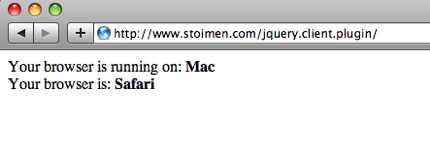
You can see full working example here.
Installation
You must add a link to jquery.client.js after the jquery.js file in your code:
<html> <body> <div id="os"></div> <div id="browser"></div> <script src="./jquery-1.3.2.js"></script> <script src="./jquery.client.js"></script> <script> $('#os').html("<b>" + $.client.os + "</b>"); $('#browser').html("<b>" + $.client.browser + "</b>"); </script> </body> </html> |
Now there’s a $.client object containing two strings with OS and browser, they can be referenced with:
$.client.browser $.client.os |
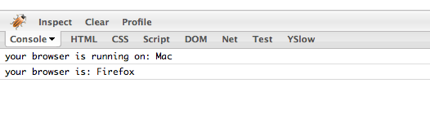
You can append this code after you jquery.js installation. And if you’re on Firefox you simply can test with the console object:
Download
You can download the sample code from here.