Tag Archives: browser

Browsers, pixels and graphic rendering!

These days I noticed something quite interesting in rendering DOM elements by a sample browser. In my case this was Firefox, but whatever the browser was this happens always.

Let me explain you what was the case. I have to render 200 DIV elements, each with 2 pixels width and 30 pixels height. Thus you got something like a scale.

So far so good. The problem is that if you get some random width for the scale as the browser can be resized. If you’d like something like random space (gap) between the scale bars you get something like 7,35 pixels between every two bars.

Of course the browser cannot use non integer pixels so it starts to render gaps which are 7 pixels wide and in every few pixels it renders 8 pixel single gap. Thus he corrects this problem.

My advice is – don’t make the browser think and round the pixels. Use fixed integers to make browser flow faster. You can fix the whole width to be multiple of 200 pixels which is the number of bars.

jQuery browser and OS detection plugin

Browser/OS detection with jQuery

As I wrote in my recent post I simply use the PPK BrowserDetect object to find out the browser/OS of the client. Actually I’m pretty sure there’s a similar jQuery plugin based again on that code from Quirksmode.org, but however I decided to write a simple plugin for jQuery wrapping it into a closure and exporting it in the “$” object.

Demo

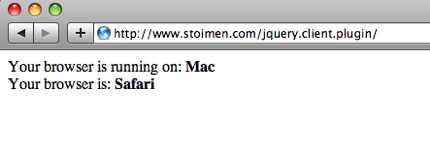
You can see full working example here.

Installation

You must add a link to jquery.client.js after the jquery.js file in your code:

<html>
<body>
 <div id="os"></div>
 <div id="browser"></div>
 <script src="./jquery-1.3.2.js"></script>
 <script src="./jquery.client.js"></script>
 <script>
  $('#os').html("<b>" + $.client.os + "</b>");
  $('#browser').html("<b>" + $.client.browser + "</b>");
 </script>
</body>
</html>

Now there’s a $.client object containing two strings with OS and browser, they can be referenced with:

$.client.browser
$.client.os

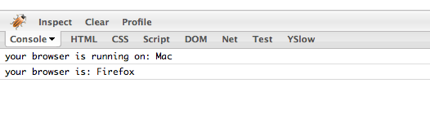
You can append this code after you jquery.js installation. And if you’re on Firefox you simply can test with the console object:

Download

You can download the sample code from here.